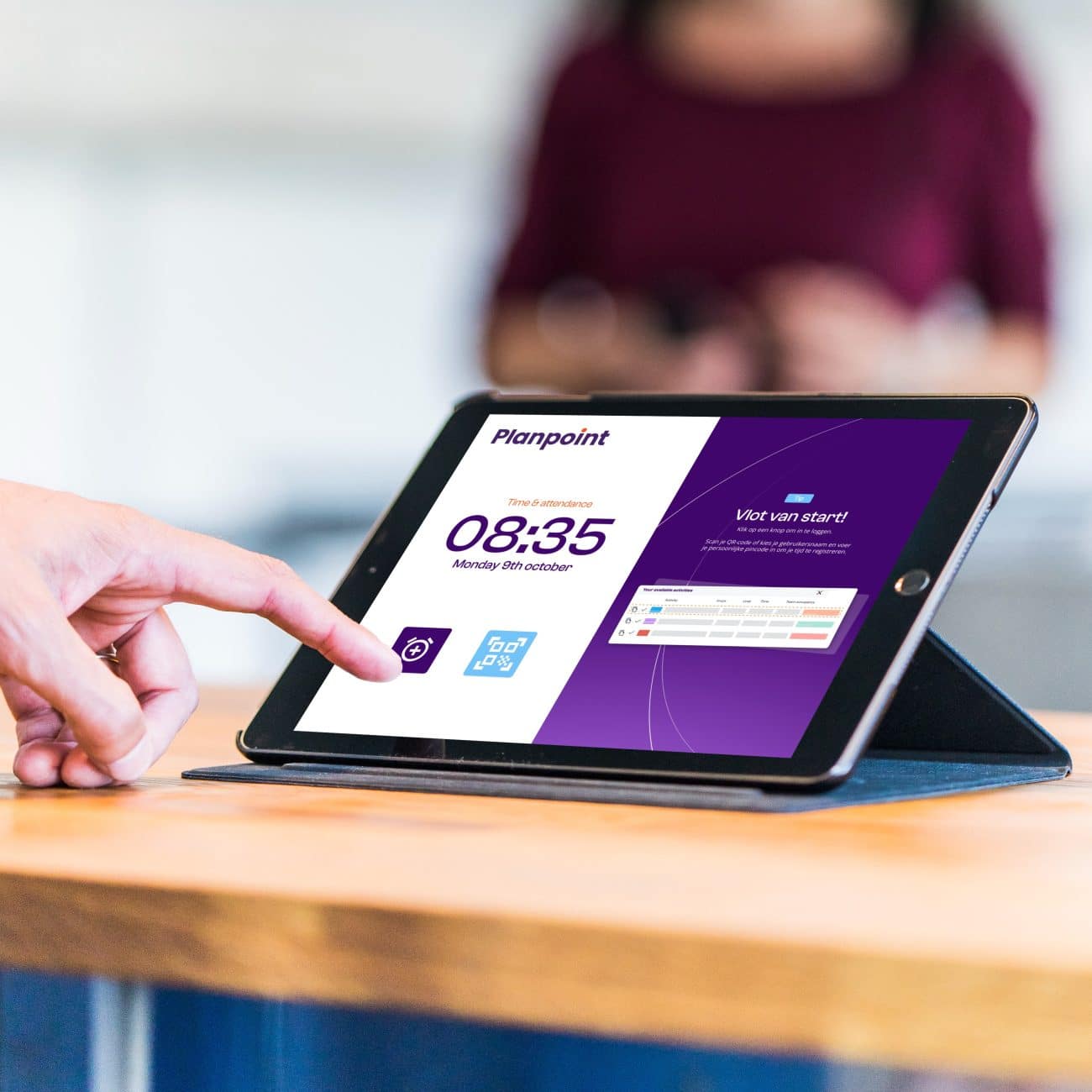
The trusted time clock, fully digital
With the Planpoint Kiosk, employees can easily clock in and out. User-friendly, real-time and hassle-free. Any deviations are immediately visible, and all working hours are processed automatically.











Fast clock-ins, real-time visibility
With a quick scan, attendance is registered instantly. You always have a real-time overview of who is present and whether staffing matches the planned schedule.
Any deviations, such as late arrivals, are immediately detected and automatically processed in Planpoint – eliminating manual administration and saving valuable time.
Always within reach
Give employees a fixed point of access at reception, on the department or on the work floor. The Planpoint Kiosk is the ideal physical complement to our mobile application.
- Plug & Play: quick installation via Wi-Fi or a single PoE cable.
- One central location: register working hours, breaks and projects in a logical place along the employee journey.
- Accessible for everyone: even employees without a smartphone can easily clock in and out.
- Choice of two versions: the user-friendly standard model or our robust Pro Series with NFC support.
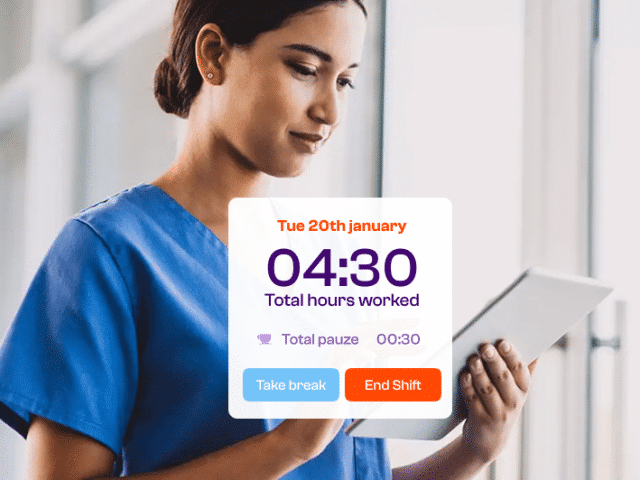
Register more than just working hours
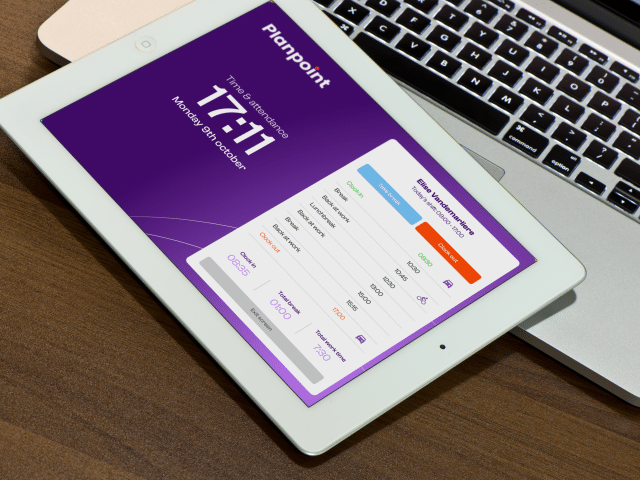
Employees can do more than simply record their attendance. With a single action, they can also register activities, breaks and other important information.
- Breaks: easily start and end break periods via the kiosk.
- Activities: allocate worked hours directly to specific tasks for clear reporting and cost allocation.
- Transport & mobility: record business travel and the mode of transport used during working hours.
- Resources: keep track of the use of specific tools, equipment and other work resources.

From time registration to payroll
The Planpoint Kiosk seamlessly connects with your administration. Thanks to Planpoint’s smart processing capabilities, working hours, breaks and allowances are calculated automatically.
- Accurate payroll processing: send worked hours, allowances and reimbursements directly to payroll with just one click.
- Efficient time management: all changes and adjustments are immediately reflected in the time overview.
- Clear approval workflows: use roles and permissions to ensure the right manager can easily review and approve hours.
Why choose the Planpoint Kiosk?
Time tracking that truly works — for your employees and your organization.
Always in control
Payroll integration
Fully integrated
Affordable & Scalable
User-friendly
Flexible placement
Frequently asked questions
What do I need to install the Kiosk?
Nothing at all. A power connection and Wi-Fi are all you need.
We take care of the complete installation and configuration of the Planpoint Kiosk. The tablets we provide come ready to use — pre-installed with the software and fully configured. Management and updates are handled remotely, so you don’t have to worry about a thing. Just plug in and start.
Can I combine the Kiosk with mobile time tracking?
Absolutely — and it’s actually a smart choice. The Kiosk integrates seamlessly with our mobile time tracking app, giving employees the flexibility to clock in either via a fixed kiosk or their own smartphone.
All registrations are automatically synced in Planpoint and linked directly to the correct schedule or project.
Which versions are available?
We offer two options:
- Standard model: An accessible entry-level model that operates via Wi-Fi. Ideal for clocking in and out using a PIN code or QR code.
- Pro Series: Our most robust solution, designed for intensive use. In addition to Wi-Fi, this version also supports a wired network connection (PoE) and features a contactless NFC reader for badges and tags.
Can I use multiple devices for time tracking?
Yes, without any issues. You can install multiple Kiosk devices across locations, entrances, or departments. Each device is individually configured by our team to match your workflows. All registrations are centrally processed in Planpoint, ensuring you always have a complete and up-to-date overview.
Can I integrate time tracking with my payroll administration?
Yes, Planpoint offers seamless integrations with various payroll systems. This allows you to transfer worked hours, including allowances and reimbursements, directly to payroll with a single click for accurate and efficient payroll processing.
How are breaks, rounding rules and allowances calculated?
This is handled fully automatically based on your organisation’s rules and policies. During implementation, we configure these settings together, after which Planpoint performs all calculations in real time.
This means you no longer have to worry about manual calculations or administrative corrections.
How do employees clock in and out?
Employees can clock in and out in the way that best suits your organisation: using a personal PIN code, a badge or tag (with the Pro Series), a QR code or the Planpoint mobile app on their smartphone.
Which time tracking solution fits your team?
Not sure whether mobile time tracking or a physical kiosk is the best fit? Our experts are happy to help you determine the ideal setup for your organisation and locations.